Stay awake
Keep macOS running while important work continues, including closed-lid requests when the setting is on.
AwakeFlow keeps your Mac running while the work matters, knows when it is finished, and handles what happens next. Even with the lid closed, when that is supported by macOS.
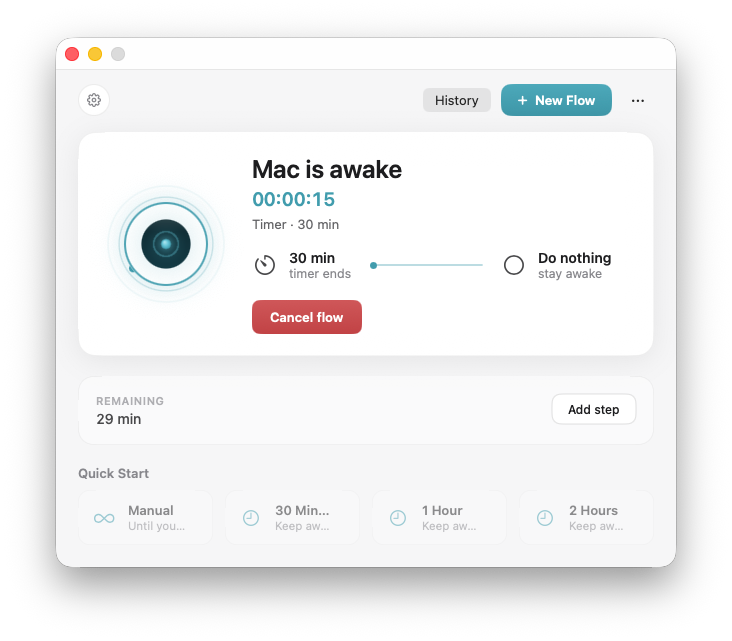
Build a flow around real work. AwakeFlow waits for each step, then finishes the night for you.
A render finishes, the machine settles, then AwakeFlow notifies you and puts the Mac to sleep.
Build your first flowWhen Closed-Lid Mode is enabled, AwakeFlow can request that macOS keep your Mac awake while supported work continues. Useful for long renders, downloads, AI agents and unattended tasks.
Closed-lid behavior remains subject to macOS, hardware, power and thermal conditions. For critical workloads, leaving the display open provides the most predictable behavior.
A free menu-bar utility can hold sleep. AwakeFlow understands the job, waits for more than one thing, and handles what comes after.
Keep macOS running while important work continues, including closed-lid requests when the setting is on.
Watch apps, files, downloads, CPU activity, renders and agents. Not just a timer.
Wait for multiple things to happen in sequence instead of relying on one trigger.
Notify, sleep, lock, shut down, or another supported action. Lock and shut down are Direct.
AwakeFlow waits until the final frame finishes, then puts your Mac to sleep.
Keep the Mac active while the agent works and get notified when it needs you.
Leave your desk. AwakeFlow can watch the task and finish the flow afterwards.
Wait for the export, verify activity has settled, then automatically sleep the Mac.
GitHub Actions show on the Mac. A render AwakeFlow starts uses at most 90% of the CPU by default. AwakeFlow Pro is $4.99 a year, with a 7-day free trial.
Pauses a render AwakeFlow started when the fans reach your level, then resumes as they cool. If macOS will not share a fan reading, AwakeFlow estimates that level from the chip temperature.
A schedule can keep the Mac awake from the moment you save it until the flow starts. Turn the display off while you wait. Home counts down to the start.
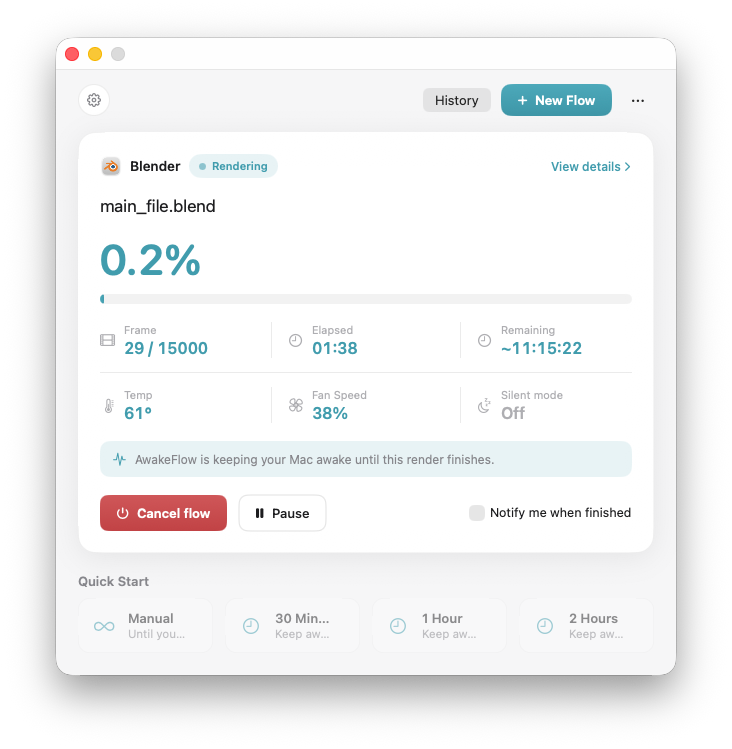
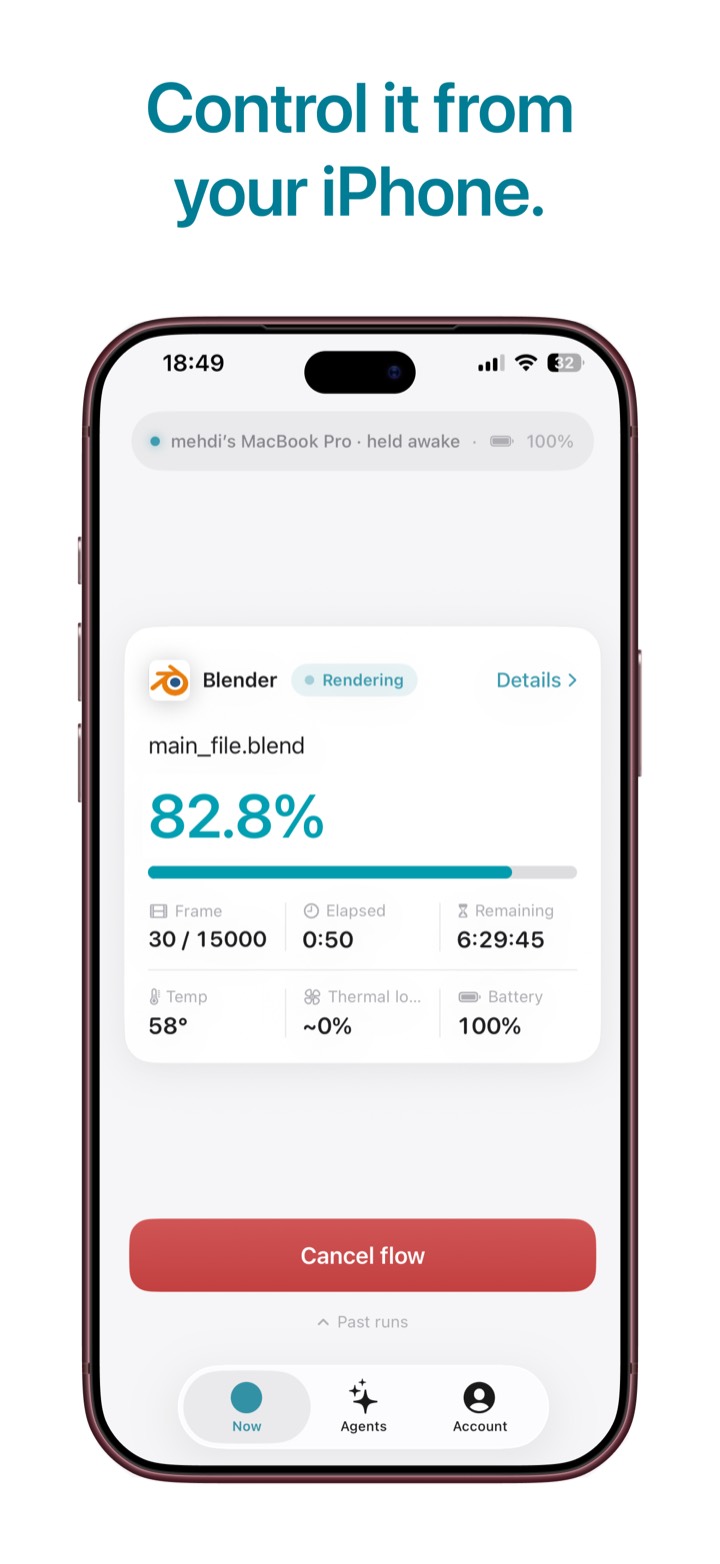
Remaining time shows hours and minutes. Until enough frames have finished it says Estimating. If only the chip temperature is available, the card shows Thermal load instead of a fan speed.
Track real render progress, estimated completion time and system activity, then automatically finish the flow when the job is done.
Set a fan-noise threshold. When the fans get too loud, AwakeFlow pauses a render it launched and resumes when things quiet down.
Where macOS does not allow a fan reading, the level is estimated from the chip temperature. Pausing makes a render take longer.
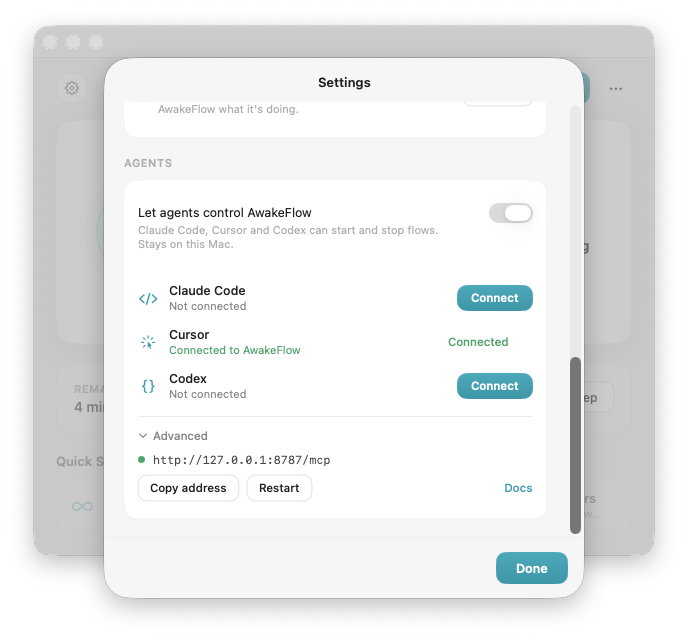 Agent connections in Settings
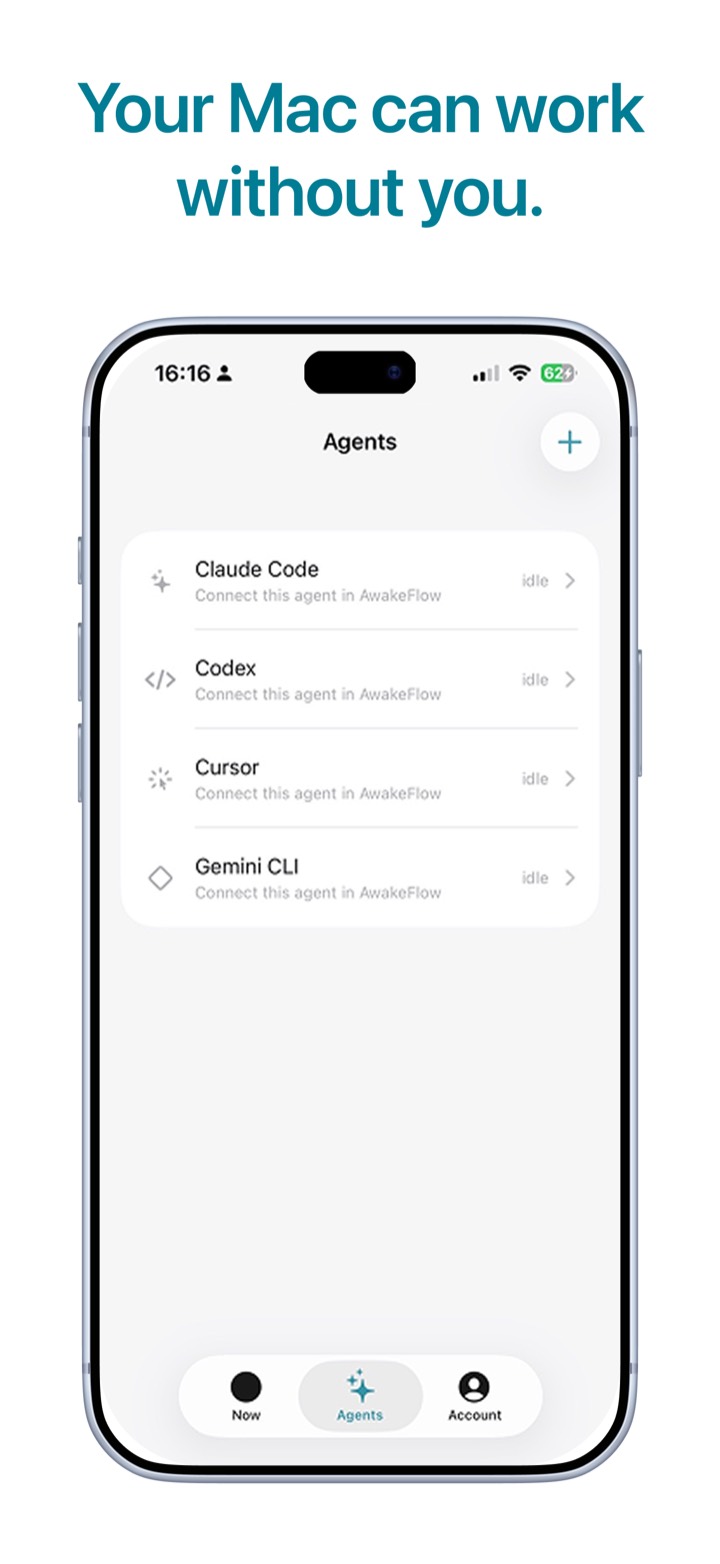
AwakeFlow can stay active while supported coding agents are working, detect when attention is needed or work has finished, and let your flow decide what happens next.
Agent completion can be just one step inside a larger AwakeFlow workflow. Paste a render command, connect Cursor or Claude, and let the flow finish the night. Setup details, including MCP, are in the guide.
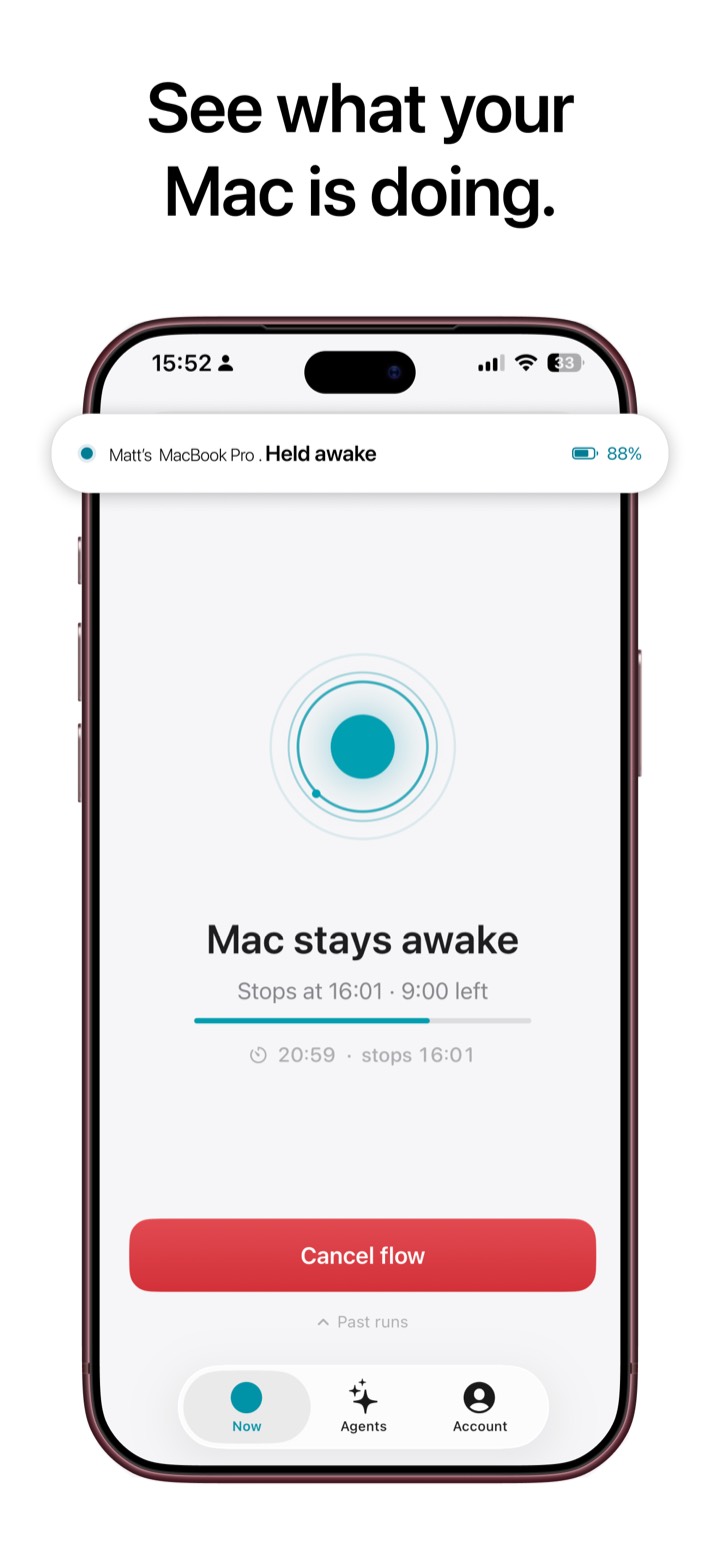
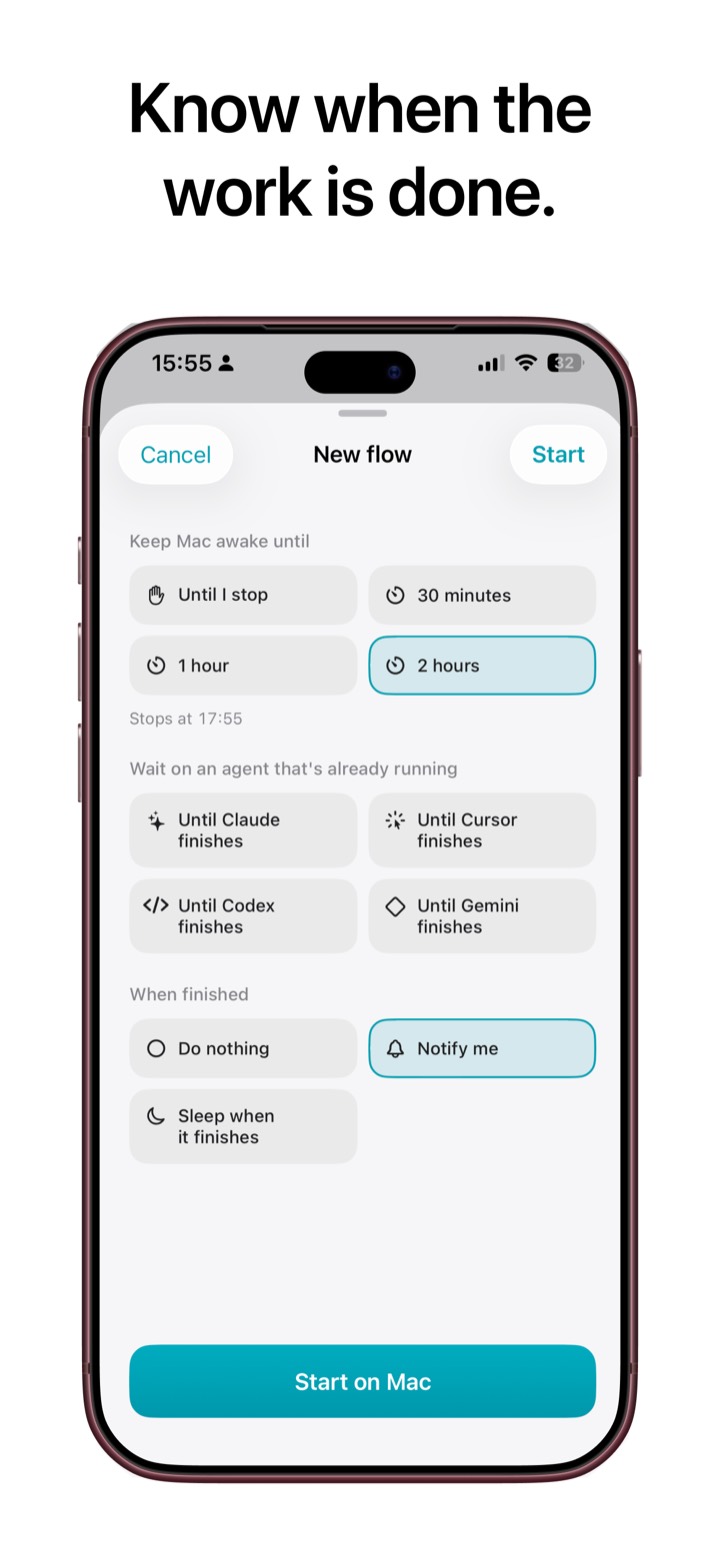
DocumentationSee the flow you left running, follow a render, start the next one, and check the agents. Pairing uses Sign in with Apple. The iPhone app comes with AwakeFlow Pro.
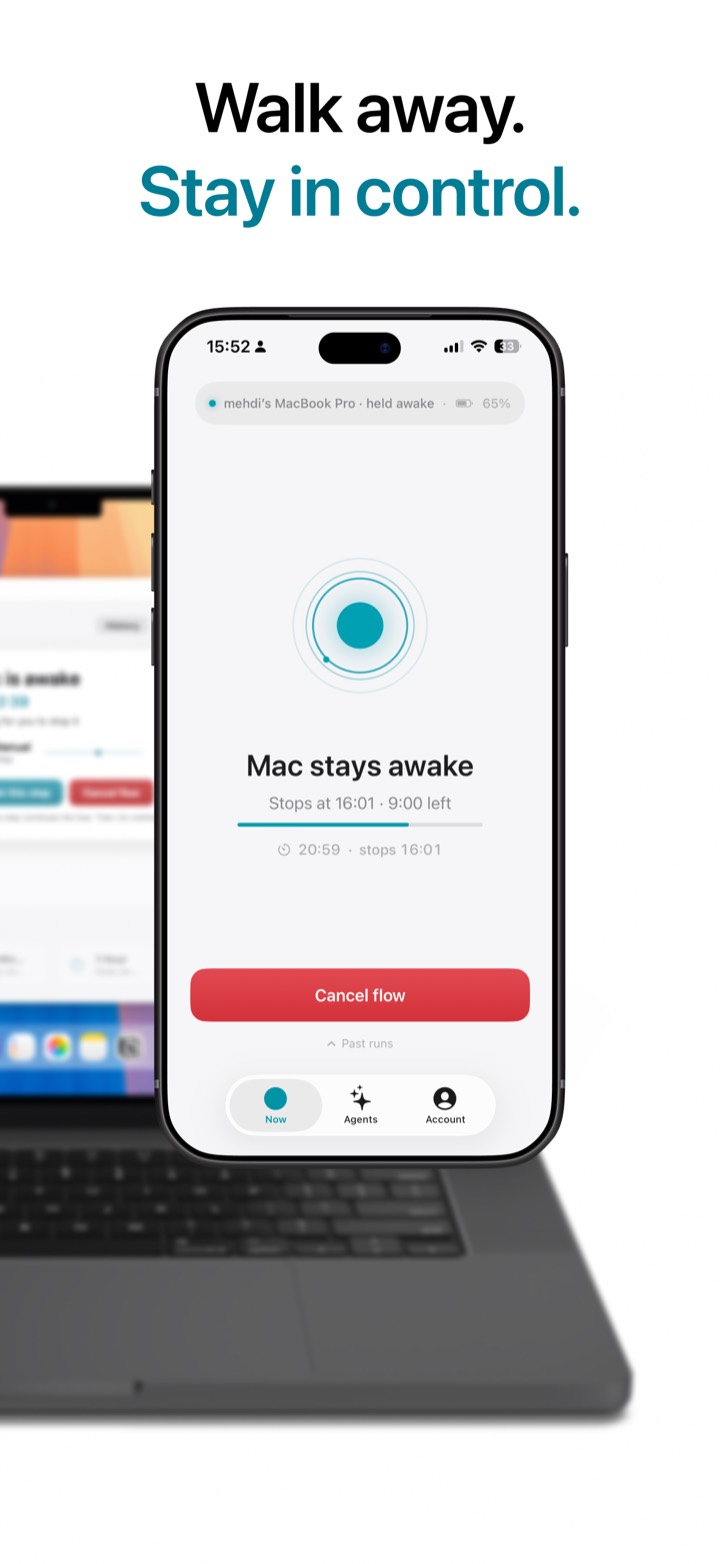
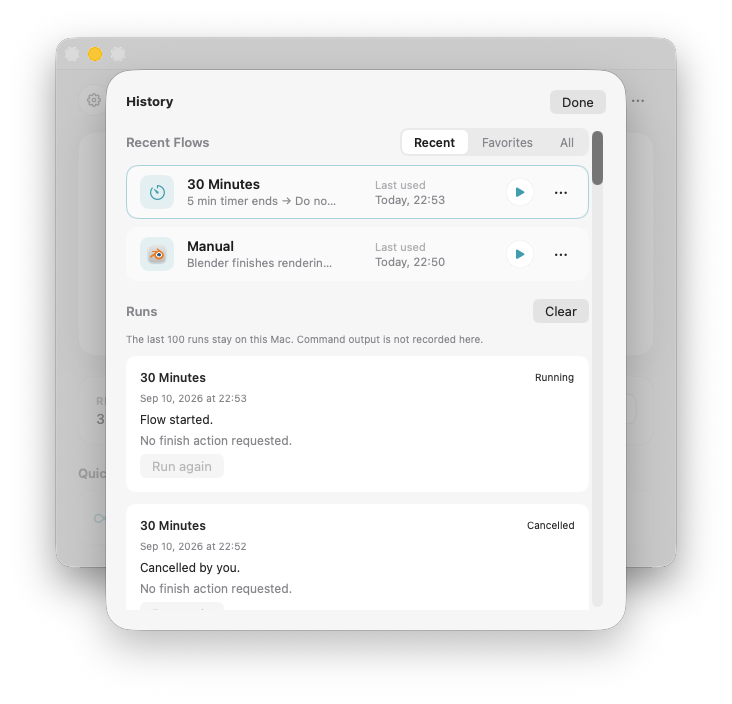
Chain an export to idle time. Repeat a good flow. History stays on this Mac.
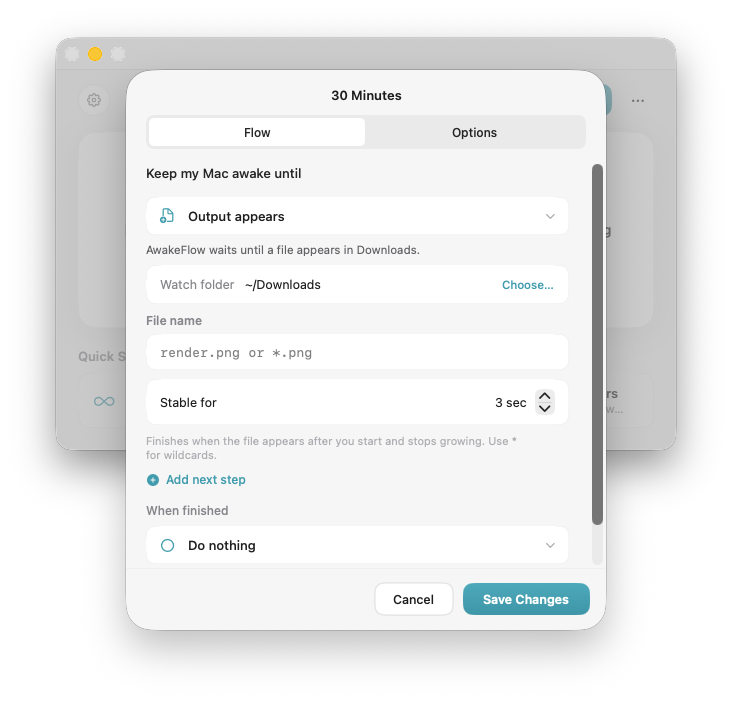
Wait for the file. Give the machine a moment to settle. One finish action at the end.
Recent flows, favorites, and the last 100 runs. History stays in your account on your Mac.
No account required. No advertising. No analytics or tracking SDKs. Your flows, settings, and run history stay in your own account on your Mac.
Our privacy promiseAwakeFlow is one product. The App Store edition is the everyday experience. Direct adds creator and developer capabilities that need access outside the sandbox.
The polished Mac App Store experience for everyday flows, schedules, renders and automatic completion. Notify or sleep when the work is done.
Get AwakeFlow macOS 13+ · Apple silicon & IntelThis opens the current release on the Mac App Store. Free download. AwakeFlow Pro is $4.99 a year, with a 7-day free trial, and it includes the iPhone companion. A lifetime unlock bought earlier stays yours.
More control for developers and creators. Advanced automation, pausing a render by hand, Run Command, Lock, Shut Down, and launching After Effects, Maya and Houdini.
Ask about AwakeFlow Direct Same app family · Outside the App StoreSame flows. More finish actions and render control. Write to support@awakeflow.app and we will get you a copy.
No. Stay-awake utilities keep your Mac from sleeping. AwakeFlow waits until the work is actually finished, then handles what happens afterward: notify, sleep, or, in Direct, lock or shut down.
Yes. When Closed-Lid Mode is enabled, AwakeFlow can request that macOS keep your Mac awake while supported work continues. Behavior remains subject to macOS, hardware, power and thermal conditions. For critical workloads, leaving the display open is the most predictable option.
Version 1.5.0 shows GitHub Actions on the Mac. Open Pipelines, create a read-only token, paste it in, then pick which repositories to follow. A render AwakeFlow starts uses at most 90% of the CPU by default. AwakeFlow Pro is $4.99 a year, with a 7-day free trial. A lifetime unlock bought before Pro stays yours.
Version 1.4.2 is out. Quiet Mode pauses a render when the Mac gets loud, including when fan speed is estimated from the chip temperature. A schedule can keep the Mac awake until it starts, with the display off if you want. The render card shows time remaining, and thermal load when a fan reading is not available.
Starting a render on the App Store edition needs one save of the render starter in Settings → Rendering. A battery step can finish when the charge leaves a range you set. Under When finished, Notify me and Sleep Mac are switches. With both off, the Mac goes back to its usual sleep settings.
Version 1.4 added starting Blender, Cinema 4D and Compressor renders, schedules, and a 30 second sleep countdown.
Yes. Choose Schedule on the Home toolbar, pick a saved flow and a time, and repeat it once, daily, on weekdays or on chosen days. Turn on Start now and keep the Mac awake until then if you want the Mac awake beforehand. On Home, Turn off the display until it starts leaves the screen dark while you wait. Closing the window is fine. Quitting AwakeFlow cancels upcoming runs until you open it again.
On Macs where macOS allows it, Wake Mac to run is under Advanced options. A shut-down Mac cannot start a schedule. If the Mac was asleep at the scheduled time and wake was not available, the run is skipped, or starts after the next wake if you allowed a grace period.
Renders, AI agents, a timer, an app closing, a quiet folder, a new output file, a battery level or a band between two charge levels, disconnected power, network loss, or CPU and GPU activity settling. Run Command is Direct.
Activity becoming quiet is a useful signal, but is not proof that a task succeeded. Choose an output-file or render condition when that is a better fit.
AwakeFlow on the App Store is the everyday edition. Under When finished, the switches are Notify me and Sleep Mac. With both off, the Mac goes back to its usual sleep settings. Quiet Mode is included since version 1.4.2. AwakeFlow Direct adds Run Command, Lock, Shut Down, launching After Effects, Maya and Houdini renders, and pausing a render by hand.
Both editions can watch render output, and since version 1.4 both can start Blender, Cinema 4D and Compressor renders. Fan and temperature readings depend on your Mac. Where a fan reading is unavailable, Quiet Mode estimates from the chip temperature.
Open Pipelines on the Home toolbar. Create a read-only token on GitHub, paste it in, then pick which repositories to follow. AwakeFlow only reads Actions, the token stays on this Mac, and a click opens the run on GitHub. See the Pipelines guide.
AwakeFlow is a free download on the Mac App Store. AwakeFlow Pro is $4.99 a year, with a 7-day free trial, and it adds Render, AI agents, MCP access, schedules, and the iPhone companion. A lifetime unlock bought before Pro stays yours, with nothing to renew.
AwakeFlow on iPhone is a companion to the Mac app. It shows the live flow, render progress, and agents, and it can start a flow on the Mac. It has no purchases of its own. Sign in with Apple on the iPhone and the Mac, with the same Apple Account, then pair from the Mac app.
The connection to AwakeFlow runs locally on your Mac. There is no AwakeFlow cloud service collecting your flows or history. The agent you choose may have its own online services and privacy policy. See the documentation.